How to pay your CCLD invoice on the new Payment Center
The new payment system isn't self-explanatory. Here is the path that works.
First, get your invoice number. Call your regional office and give them your license number. They'll give you an invoice number that looks like INV-0000XXXX. Not sure which office covers you? Find your regional office by ZIP code (the CCLD Office Locator), or use the CDSS list of offices (PDF).
Open the Payment Center. You'll see Find Your Invoice.
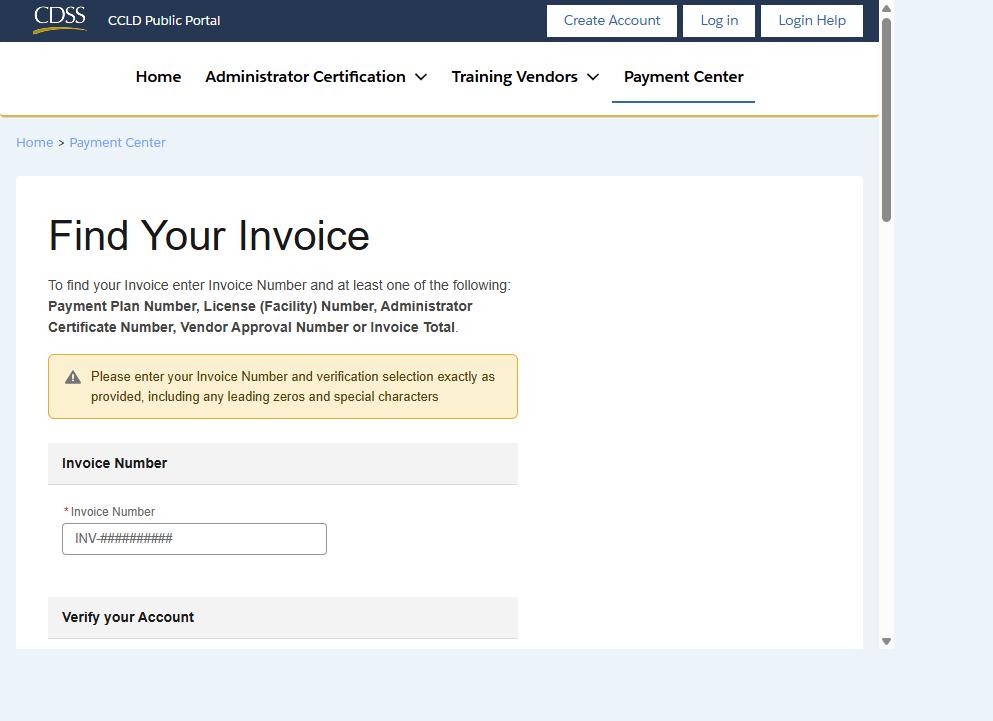
In Invoice Number, type your invoice number exactly as given, including the
INV-and any leading zeros. The page warns about this.Under Verify your Account, open the Search By drop-down. It starts on “Payment Plan Number.” Change it to “License Number.” This is the step people miss.
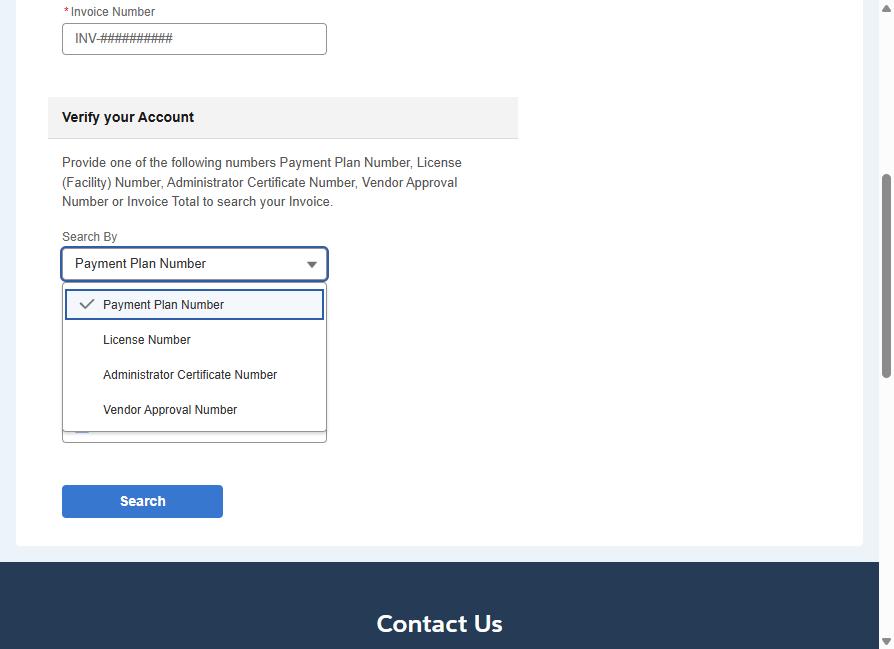
In Number, type your license number.
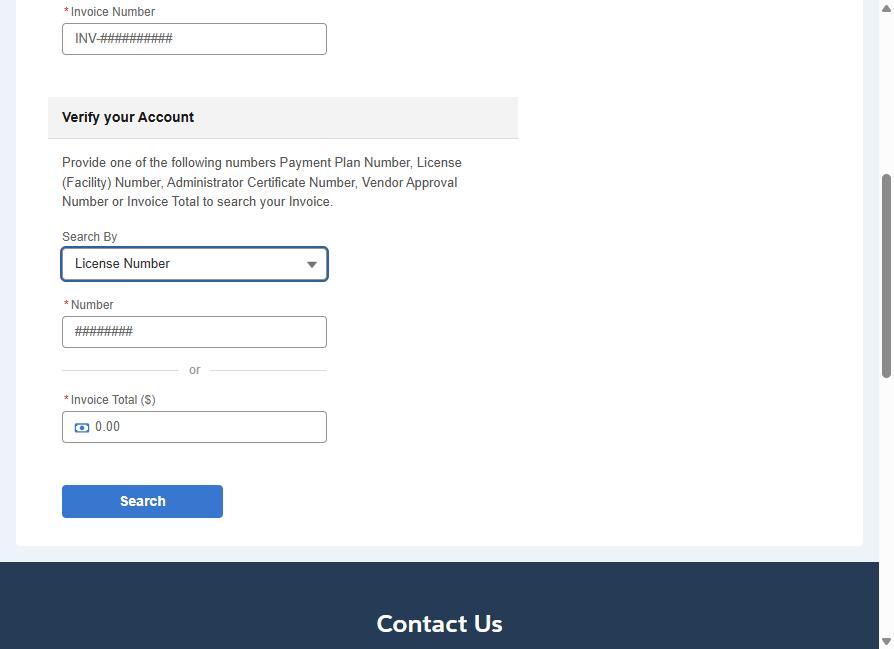
Click Search. Your invoice will show, and you can pay from there.
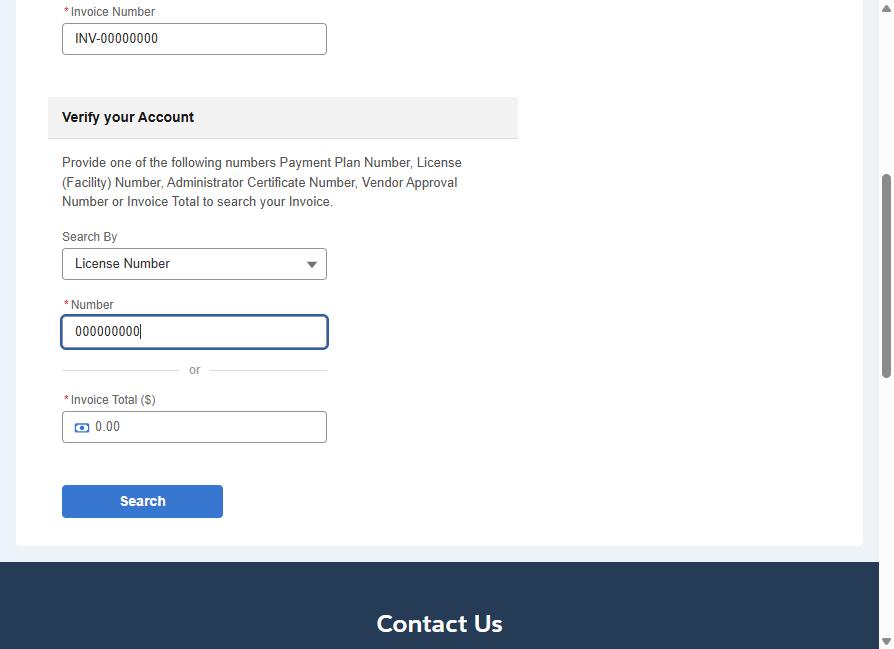
Screenshots use example numbers, not a real invoice or license. This guide is not an official CDSS document: it is a provider's walkthrough of the Payment Center, last checked Sep. 30, 2026. If the page looks different, call your regional office.